MSDUK Certified SME Registration Guide
Last updated 18 June 2026
SME registration guide
This guide explains how to register as a certified SME member through the MSDUK Portal.
It covers how to start your registration, create your account, complete the application sections, upload supporting documents, and submit your application for review.
Before you start
Before starting your application, please review the important document below. It explains the information and documents you may need during the application process and will help you complete the form more easily.
Important document:
Review the application guidance document
You should also have the following information ready before starting:
- Company registration number
- Business contact details
- Business email address
- Company website
- Primary and secondary phone numbers, where applicable
- Business profile information
- Capability statement, if available
- Turnover amount and proof of turnover
- Ownership details
- Proof of ethnic minority ownership and eligibility documents
Using accurate and up-to-date information will help avoid delays in the application process.
Starting your registration
Go to the MSDUK website and select Join Today.
This will take you to the MSDUK Portal, where you can choose the relevant registration option.
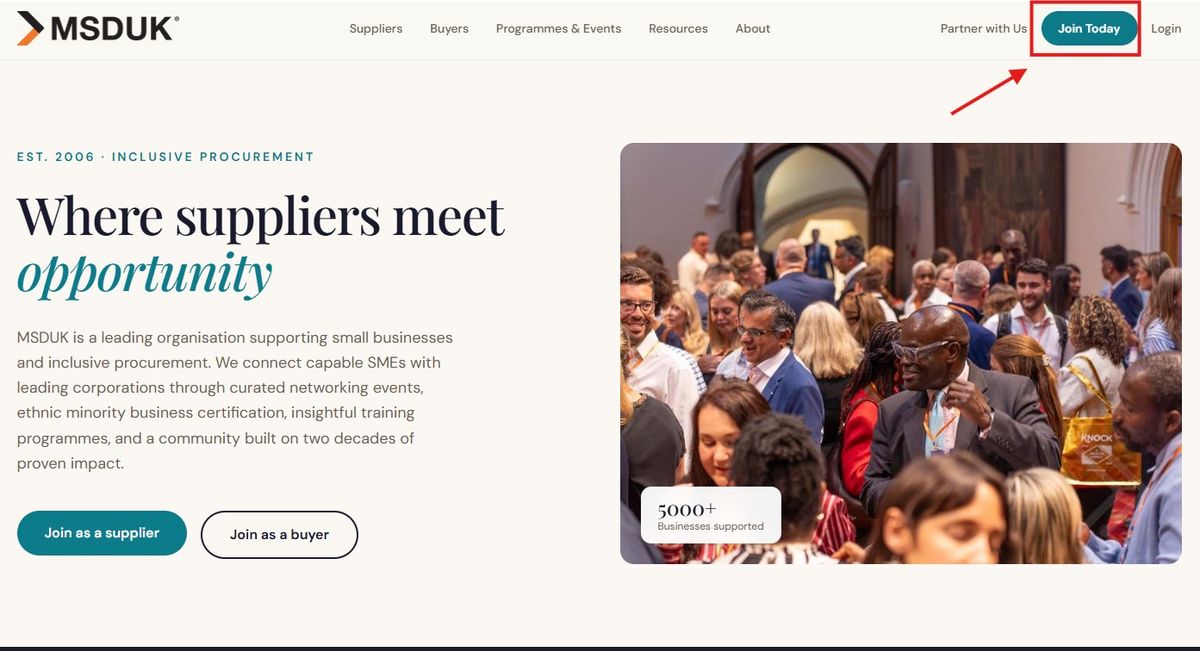
This will take you to the MSDUK Portal, where you can choose the relevant registration option.
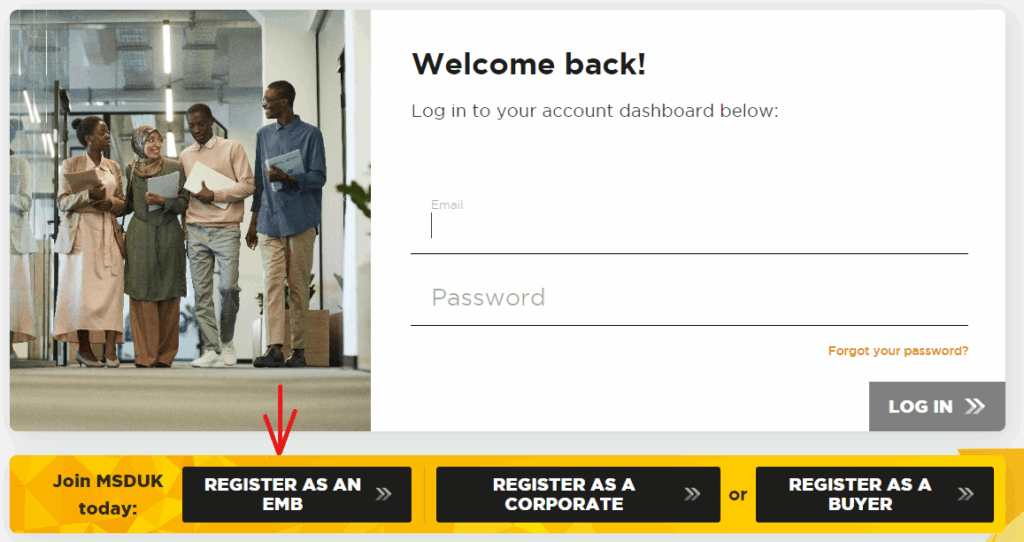
On the portal login page, select the option to register as an SME.

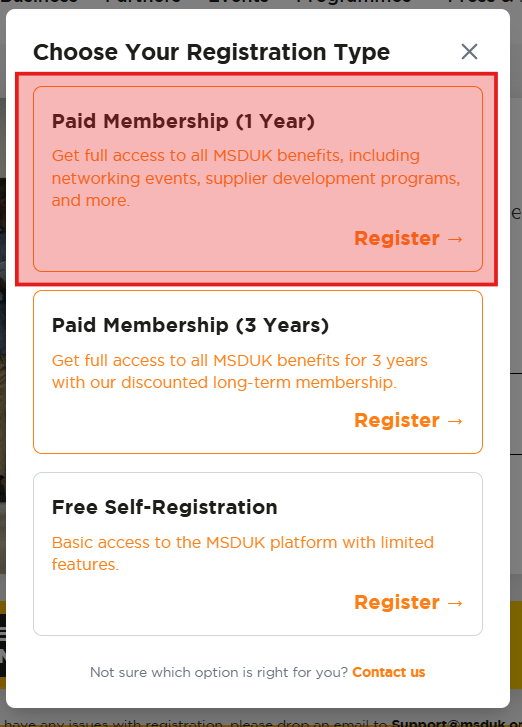
Choose your registration type
You will be asked to choose your registration type.
Select the membership option that applies to your business.
The available options may include:
- Paid Membership, 1 Year
- Paid Membership, 3 Years
- Free Self-Registration
Select Register on the relevant option to continue.
Create your user account
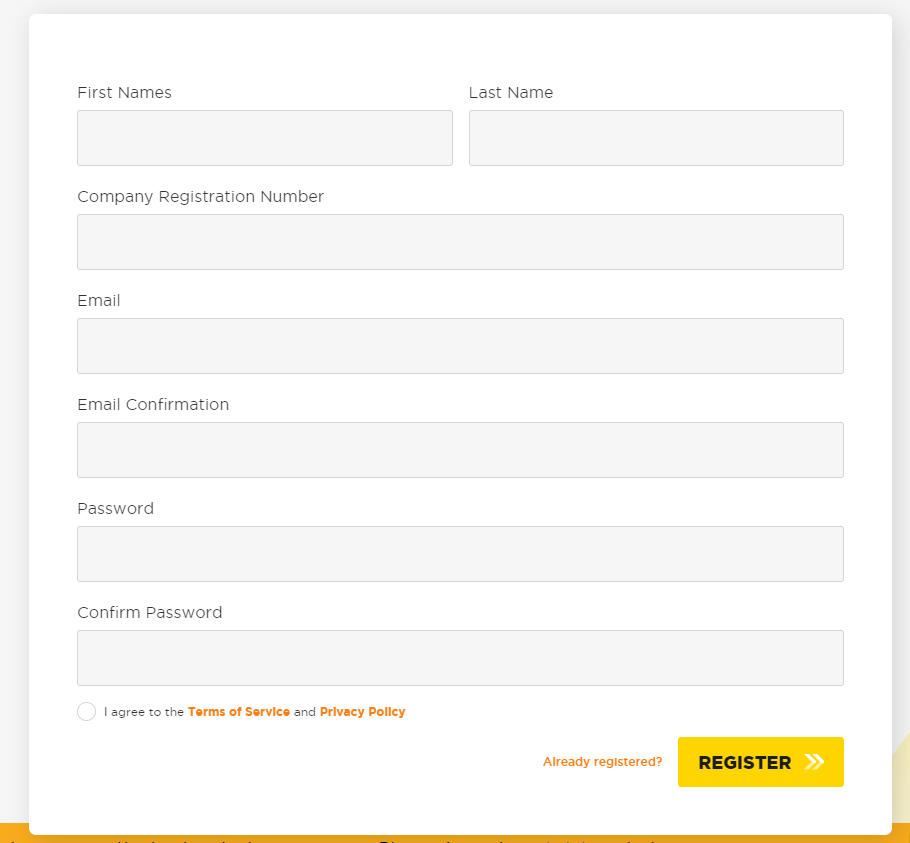
Complete the account registration form to create your user account.
You will need to enter details such as:
- First name
- Last name
- Company registration number
- Email address
- Email confirmation
- Password
- Password confirmation
You must also agree to the Terms of Service and Privacy Policy before registering.
This user account allows you to log in and complete the application at your own pace.
Verify your email address
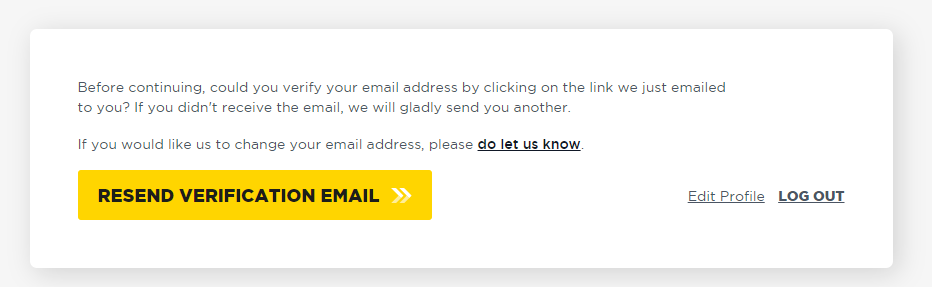
After registering, you may be asked to verify your email address.
Check your inbox for the verification email and follow the instructions.
If you do not receive the email, select Resend Verification Email.
If you need help, contact support@msduk.org.uk.

Application sections
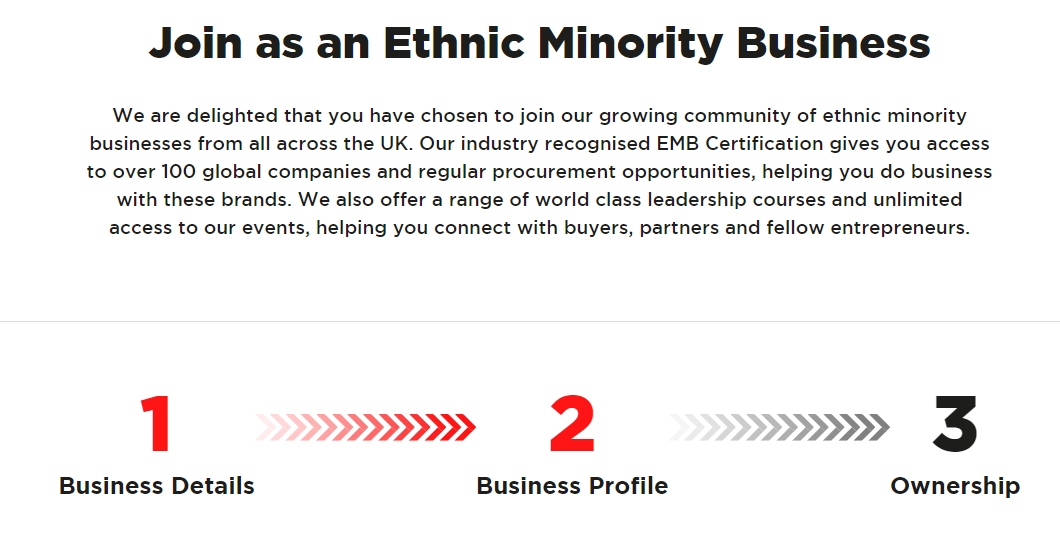
Once your account has been created and verified, you can begin the application.
The application includes the following sections:
- Important notes
- Business details
- Business Profile
- Ownership
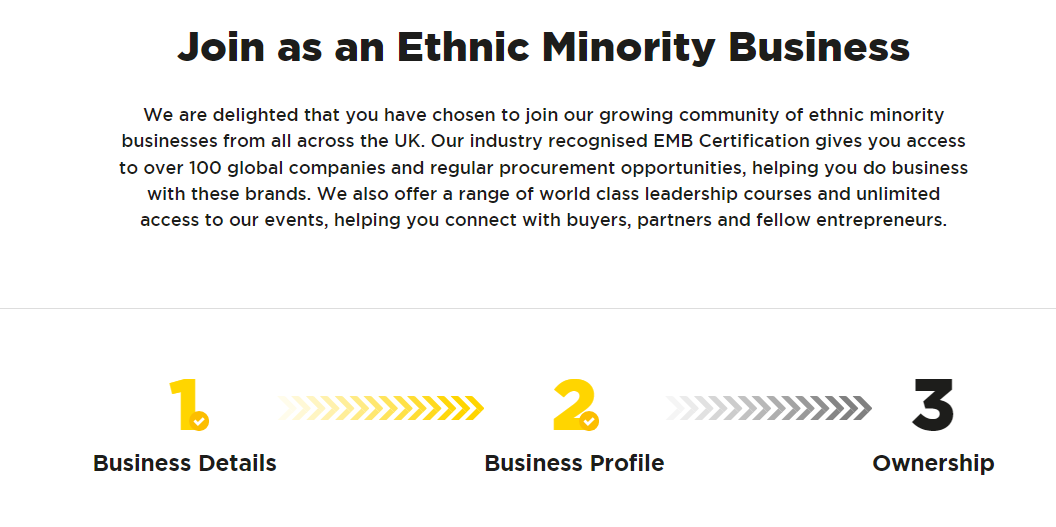
You can move between the application sections and complete your information.
Once the required sections are complete, you will be able to review your application and proceed to payment.
If a section is incomplete, the portal will show this clearly so you know what still needs to be completed.
1. Important notes
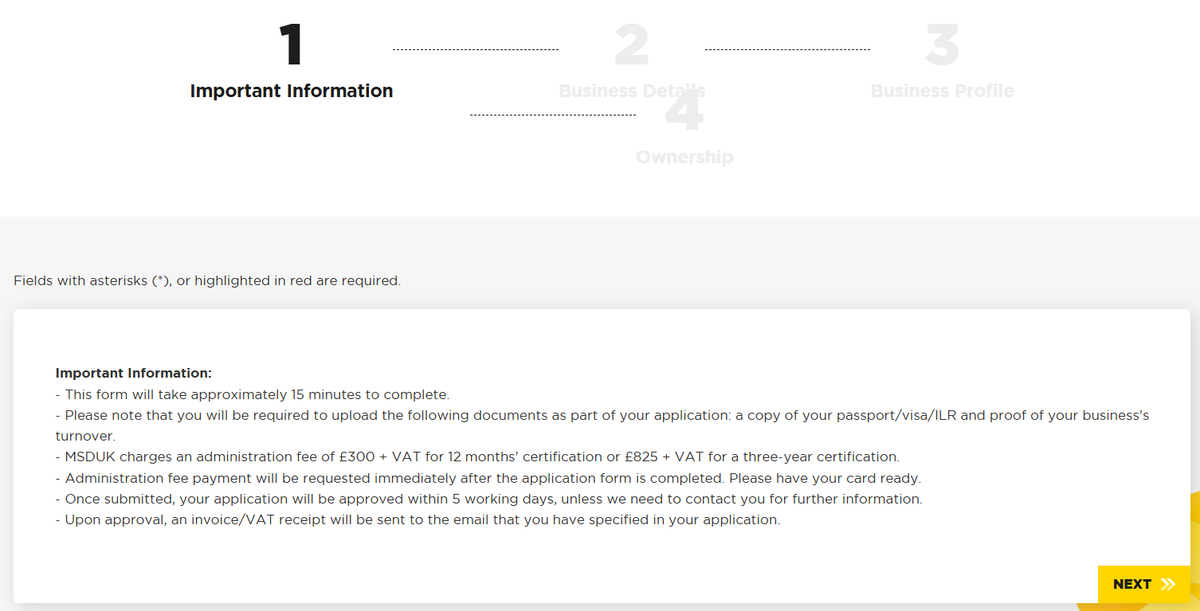
- The Important notes section provides key information about the application process.
- Read this section carefully before completing the rest of the form.
- It may include required documents, application review times, and information you need to provide.
- You should only continue once you understand the requirements and have the relevant documents ready.
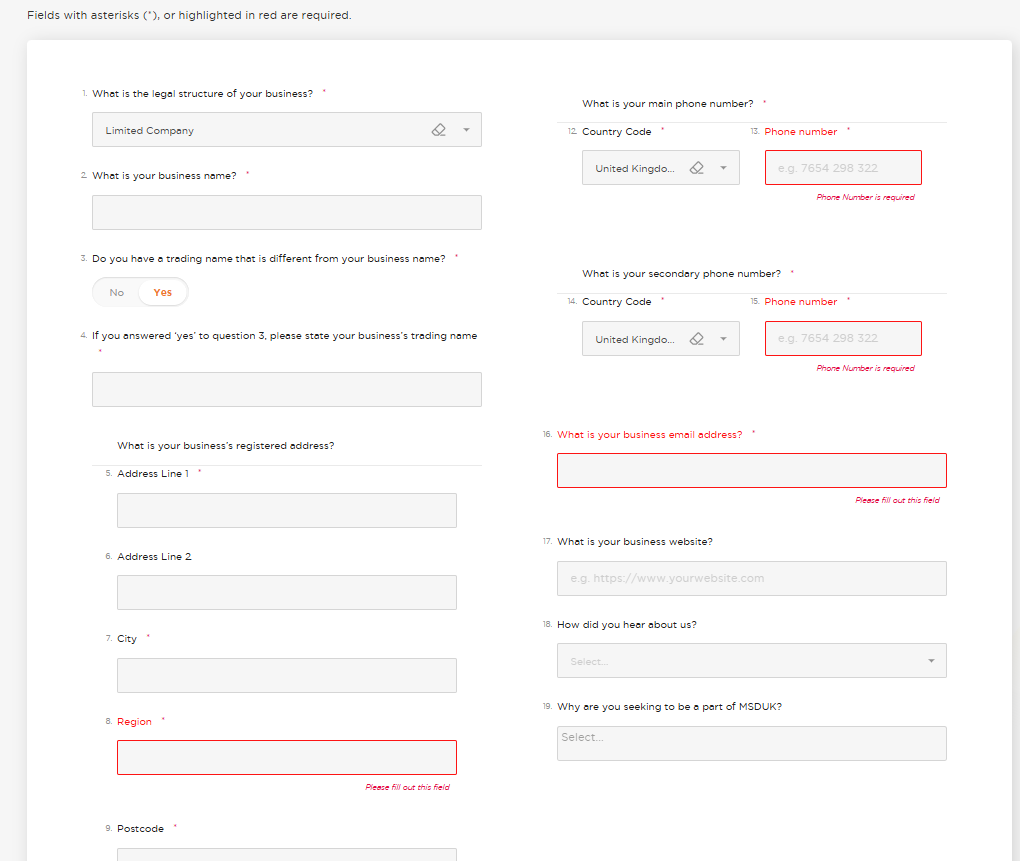
2. Business details
The Business details section asks for key information about your company.
Some details may be automatically populated from Companies House, such as:
- Legal structure
- Business name
- Registered address
- Geographical coverage
- SIC codes
- Company founding information
You can update the information if anything is incorrect or needs to be changed.
If your legal structure is not listed in the dropdown, contact support@msduk.org.uk.
Follow the on-screen instructions and answer each question accurately.
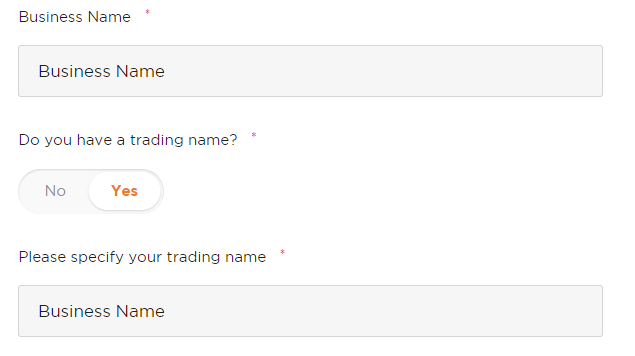
Trading name
If your business uses a trading name that is different from the registered business name, select Yes when asked whether you have a trading name.
A text box will appear where you can enter your trading name.
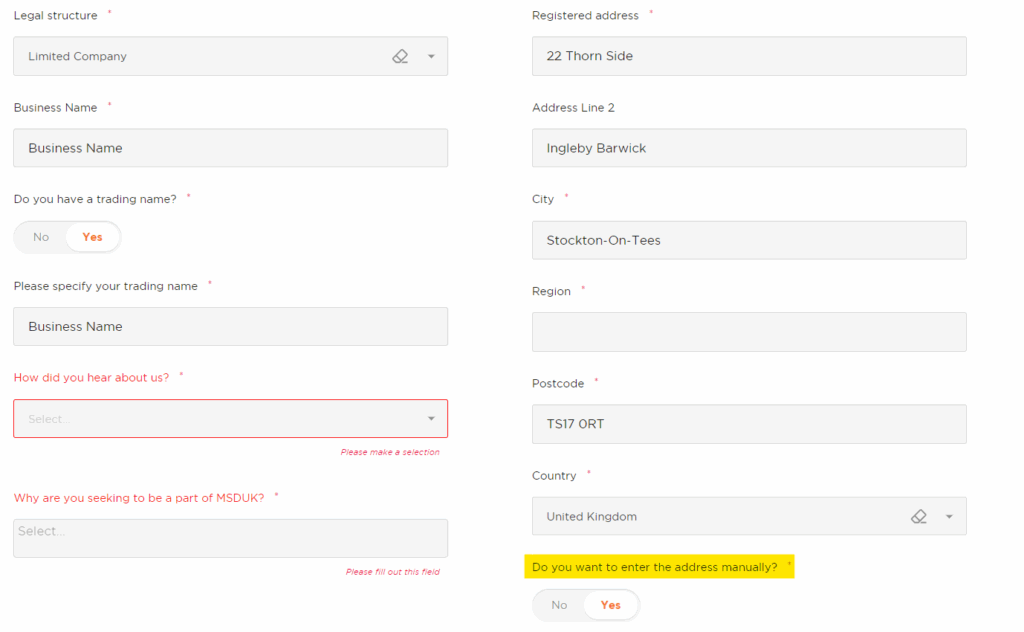
Company address
Your company address may be pre-filled using information from Companies House.
If you need to update the address manually, select Yes when asked whether you want to enter the address manually.
You can then enter or update the address details.
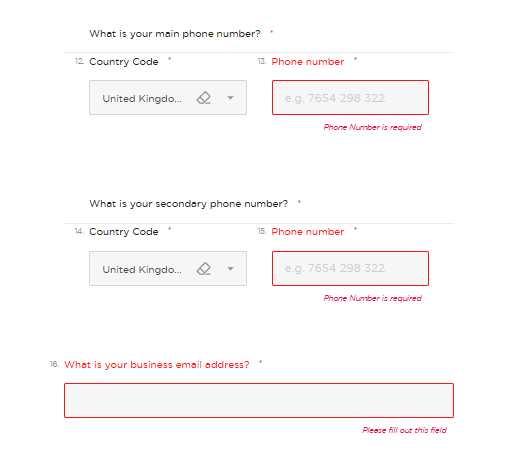
Contact details
Enter your company contact details.
This may include:
- Primary phone number
- Secondary phone number, where applicable
- Business email address
- Company website
The country code may be automatically selected as the UK, but you can change it if needed.
Make sure these details are correct, as they may be used for application communication and member profile information.
3. Business Profile
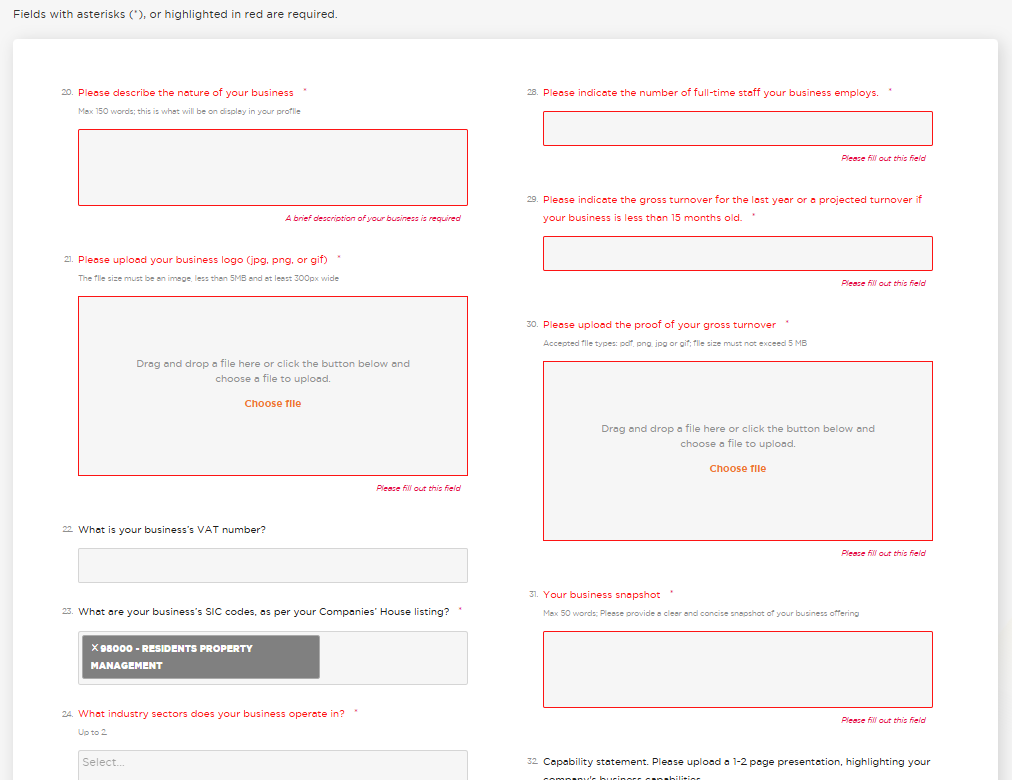
The Business Profile section asks you to describe your business and the services you provide.
This information helps MSDUK understand your business and helps corporate members find relevant suppliers.
You may be asked to provide:
- Business description
- Business logo
- Year founded
- Number of employees
- VAT number, where applicable
- Geographical coverage
- SIC codes
- Industry sectors
- Services offered
- Largest contract value delivered
- Elevator pitch
- Key clients
- Gross turnover for the last year
- Proof of turnover
- Capability statement, where available
Make sure your business description and elevator pitch are clear and specific.
Your profile may be seen by corporate members, so this is an important opportunity to present your business properly.
Proof of turnover
- You must provide your gross turnover amount for the last financial year.
- You may also need to upload proof of turnover to support your application.
- We understand that audited or unaudited accounts may not be available during your first year of trading. If this applies to you, please upload your projected earnings for the first year on your company letterhead.
- Once your audited or unaudited financial statements become available, you can replace the projected earnings document with the updated financial statements.
- You can use the template below to prepare your projected earnings document.
- Download template: Projected Earnings Template
- If the document is not available, the form may save as a draft so you can return later and complete the application.
- You will not be able to complete the registration and payment until all required fields marked with an asterisk are completed.
Capability statement
You can upload a capability statement as part of your business profile.
A capability statement helps explain what your business does, the services you provide, your experience, and why corporate members should consider working with you.
If you have one, upload the latest version so your profile is as strong as possible.
Industry, services, and key clients
- Select the industry sector your company belongs to and the services you offer.
- You may be able to select multiple options where applicable.
- You should also include your largest contract value delivered and write an elevator pitch so corporate members can understand your business quickly.
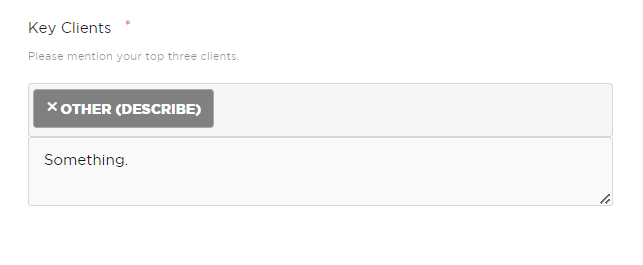
- For key clients, select your top clients you have worked with from the dropdown if they are available.
- If you cannot find a client in the dropdown, select Other and enter the details manually.
4. Ownership
- The Ownership section asks for details about the business owners.
- You will need to provide ownership information so MSDUK can assess whether the business meets the certification criteria.
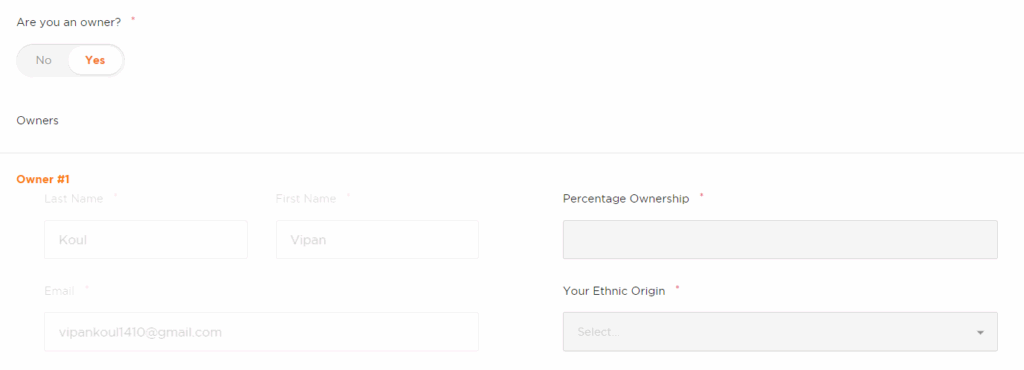
- If you are an owner of the company, select Yes and your personal details may be used to pre-fill part of the form.
- If you are not the owner, you will need to enter the owner’s email address, address, and contact details.
- To qualify as an ethnic minority owned business, you must be recognized as an ethnic minority by the UK government and either be a UK citizen, permanent resident, or hold an ILR or visa that leads to any of the aforementioned statuses. Additionally, you must have an ownership percentage of at least 51% either individually or combined.
- You also need to upload your UK passport / ILR / Visa to support your claim.
Consent for sharing data
- You may be asked to confirm whether MSDUK can share specific data with funders.
- This may apply where MSDUK activities or programmes are funded by external agencies.
- Read the consent wording carefully before selecting your answer.

Review and submit
- Once all required sections are complete, you will be able to review your application.
- Before submitting, check that all information is accurate.
- If something is incorrect, go back to the relevant section and update it before continuing.
- Select Review & Submit when you are ready.
5. Payment
- After you have reviewed and submitted your application, you will be able to proceed to payment.
- Select Proceed to Payment and complete the payment details.
- You must complete payment to finish the registration process.
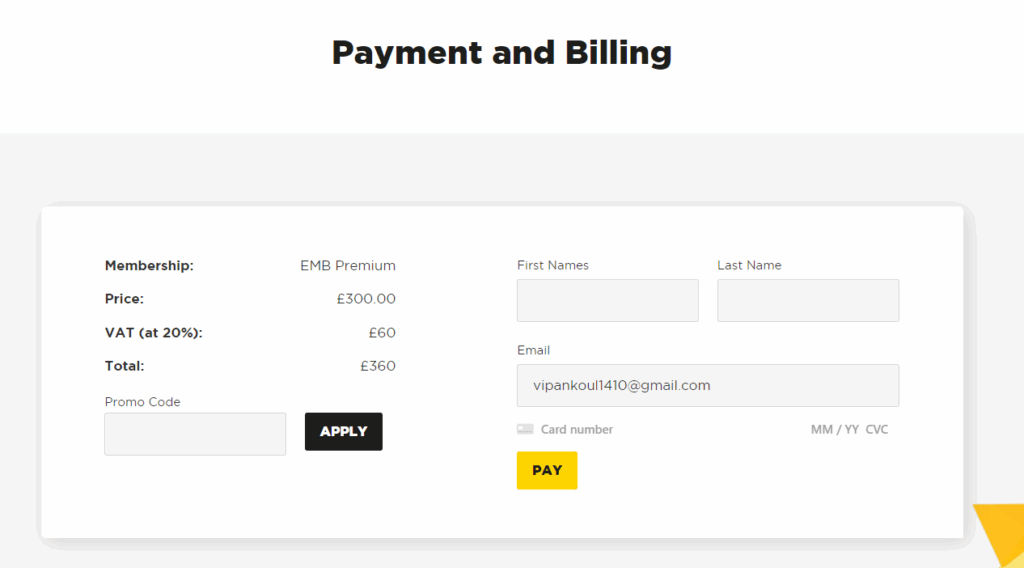
- On the payment page, enter the required billing and payment details.
- Once payment has been completed, your application will be submitted for review.
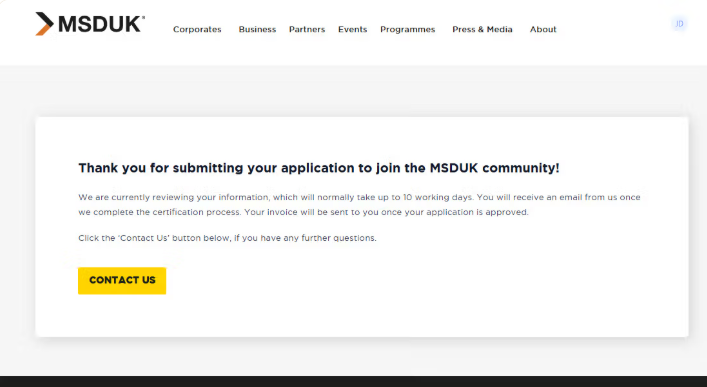
- After finishing the payment you will see below page. Please allow us to 8-10 working days to process your application and once your application is approved you will be able to access your dashboard.
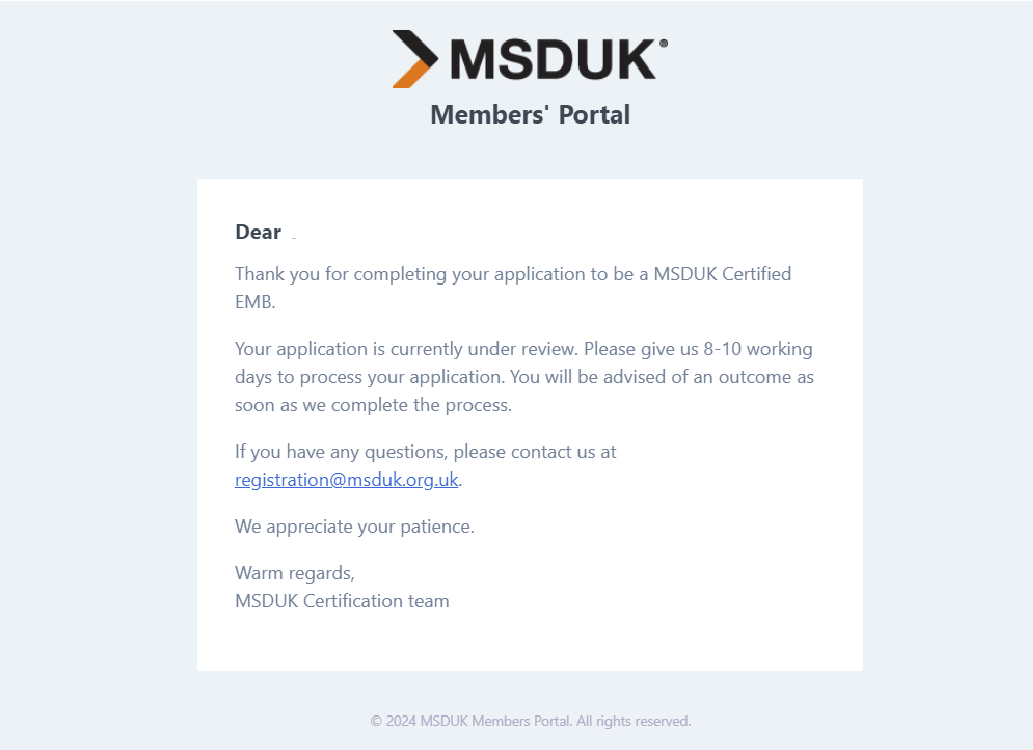
- You will also receive a confirmation email after successfully submitting the application.
After submission
- After payment and submission, you will see a confirmation message.
- Please allow up to 10 working days for MSDUK to process your application.
- You will also receive a confirmation email after successfully submitting your application.
- Once your application has been reviewed, MSDUK will contact you with the outcome.
- In case you face any issues with registration, feel free to reach out to support@msduk.org.uk and MSDUK team will look into it.
Need help?
If you face any issues with registration, contact MSDUK at support@msduk.org.uk.
Include your company name, registered email address, and a short explanation of the issue so the team can help you quickly.
Summary
To register as a certified SME member:
- Go to the MSDUK website.
- Select Join Today.
- Choose the SME registration option.
- Select the relevant registration type.
- Create your user account.
- Verify your email address.
- Review the important notes.
- Complete the Business details section.
- Complete the Business Profile section.
- Upload proof of turnover and a capability statement, where available.
- Complete the Ownership section.
- Review and submit your application.
- Complete payment.
- Wait for MSDUK review and confirmation.
Was this helpful?
Related Articles
You might also find these helpful
Certified SME Member Registration
Welcome to the registration guide for joining MSDUK as a certified member through the MSDUK portal. This section provides clear, step-by-step instructions to help you complete the process smoothly and efficiently.
Read articleCorporate Buyer Registration
Welcome to the guide for registering as a Buyer through the MSDUK portal. This section provides clear, step-by-step instructions to help you complete the process smoothly.
Read articleCorporate Member Registration
Welcome to the registration guide for becoming a Corporate member through the MSDUK portal. This section provides clear, step-by-step instructions to help you complete the process smoothly and efficiently.
Read article