Certified SME Member Renewal
Last updated 16 June 2026
If your MSDUK certification is due for renewal, you can complete the renewal process through the MSDUK Portal. This guide explains how to log in, review your company information, complete the renewal application, upload the required documents, and submit your application for review.
SME Renewal
- Members whose certification is due to expire will receive a weekly renewal notification email for one month before their membership expires.
- Only key contacts will receive the renewal notification email.
- If your membership has expired, you will not be able to access any member features or benefits until the renewal process is complete. This guide explains how to renew your certification step by step.
- If your membership is still active and the expiry date is approaching, a Renew button will appear on your dashboard from one month before your certification expiry date. We strongly recommend renewing promptly to avoid any interruption to dashboard access.
Before you start
Before starting your renewal, make sure you have access to your MSDUK Portal account and have your supporting documents ready.
You must be listed as the key contact or have administrator access to renew the certification.
You may be asked to upload or confirm documents relating to:
- Company ownership details and documents
- Ethnic minority ownership and management control
- Turnover amount and proof of turnover
- Any other information required to confirm your eligibility
Using accurate and up-to-date information will help avoid delays in the renewal process.
To start the process, go to msduk.org.uk and select Log in in the top-right corner. This will take you to the MSDUK Portal.
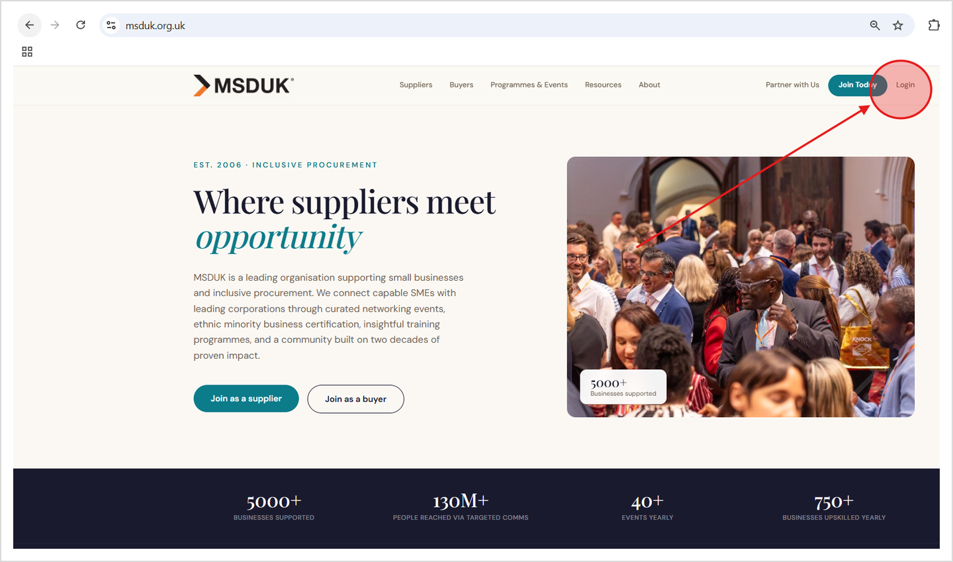
Step 1: Log in to the MSDUK Portal
- Go to the MSDUK Portal and log in using your registered email address and password.
- Once logged in, you will be taken to your account dashboard.
- If you cannot remember your password, use the password reset option on the login page.
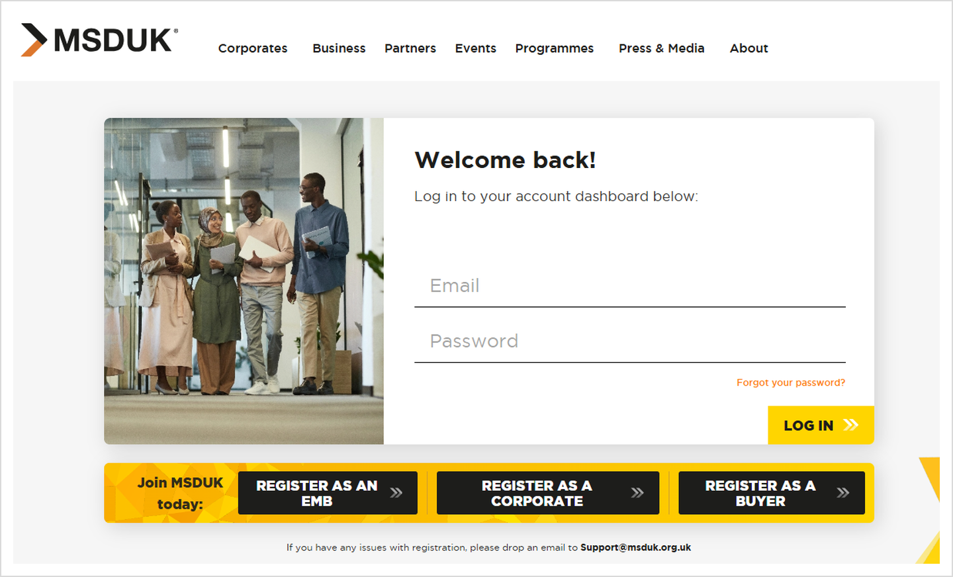
Step 2: Find the renewal option
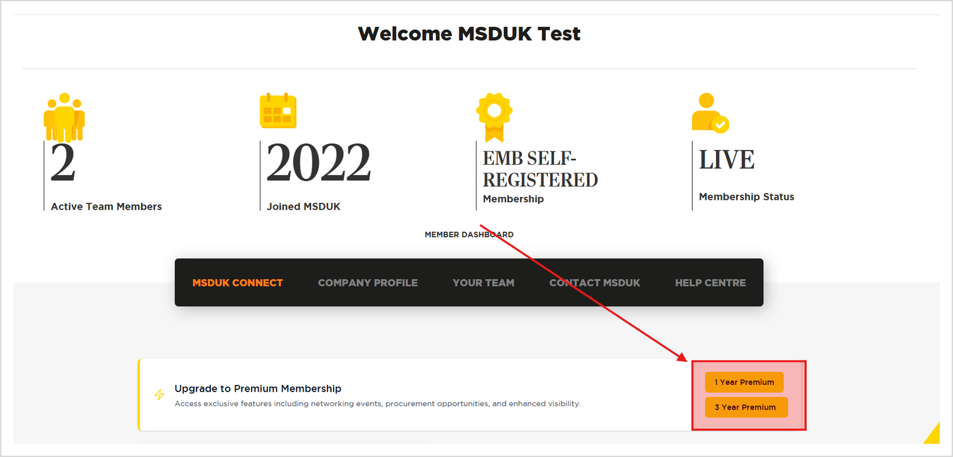
- From your dashboard, scroll down to the MSDUK Connect section.
- You will see the renewal option in this section. This is where you can start the renewal process.
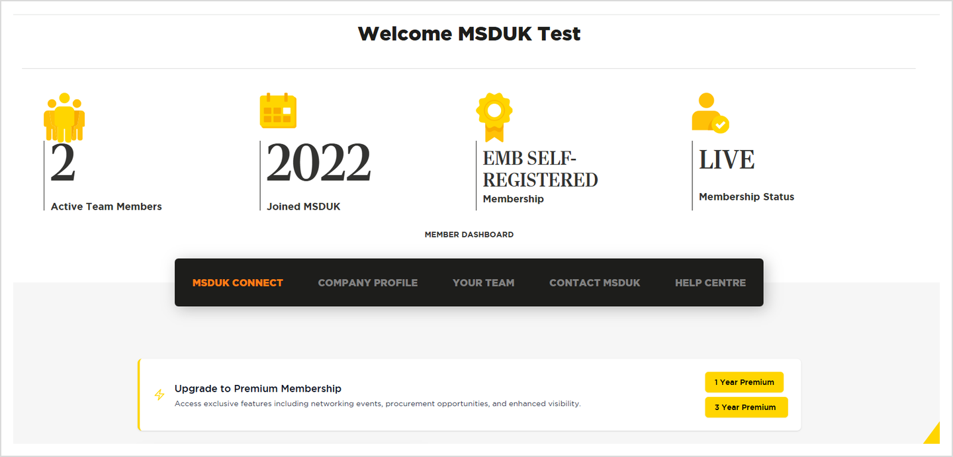
Step 3: Review your company details
Before starting your renewal, review your company information carefully.
Check that the following details are correct:
- Company name
- Company registration number
- Trading name, if applicable
- Registered address
- Website
- Key contact details
- Business description
- Industry or services provided
If any information has changed, update it before moving to the next step.
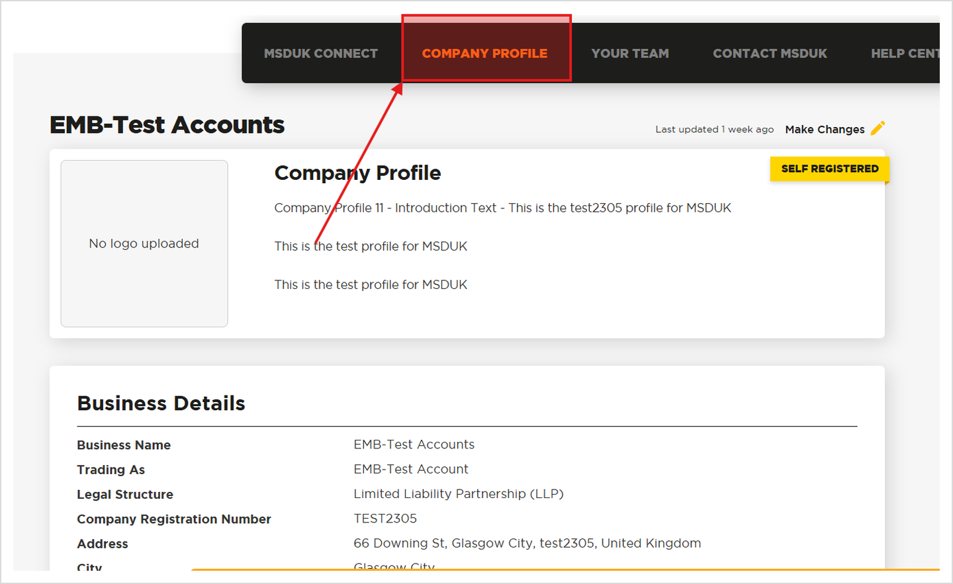
Step 4: Select the renewal certification option
Go back to the MSDUK Connect section and select the option to renew your certification.
The portal will guide you through the required renewal steps.
You may need to confirm your membership type before continuing.
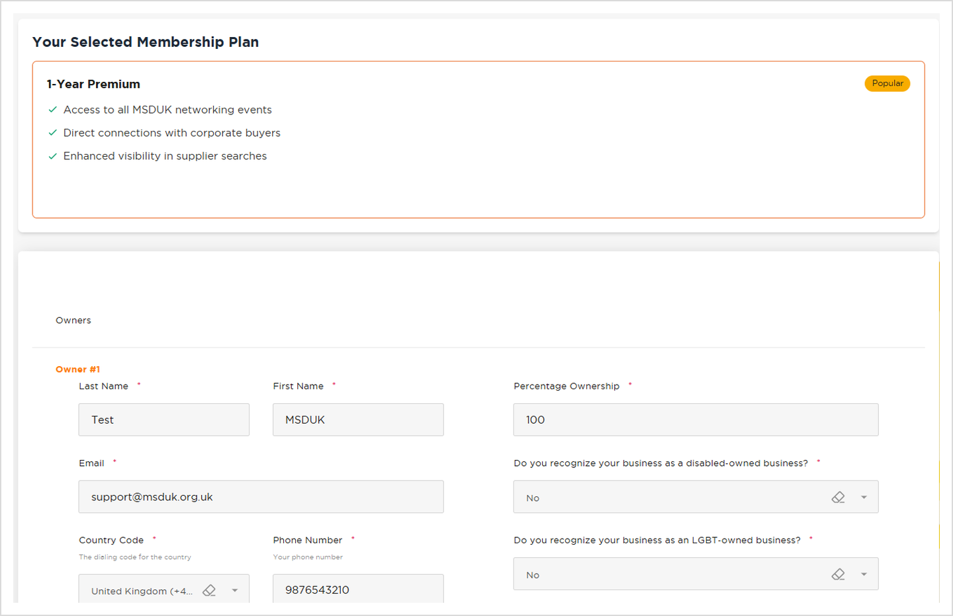
Step 5: Confirm ownership and management information
You will need to confirm that your company still meets MSDUK’s certification criteria.
This includes confirming ethnic minority ownership and management control.
Review this section carefully and make sure the information is accurate.
Incomplete or incorrect ownership information may delay your renewal.
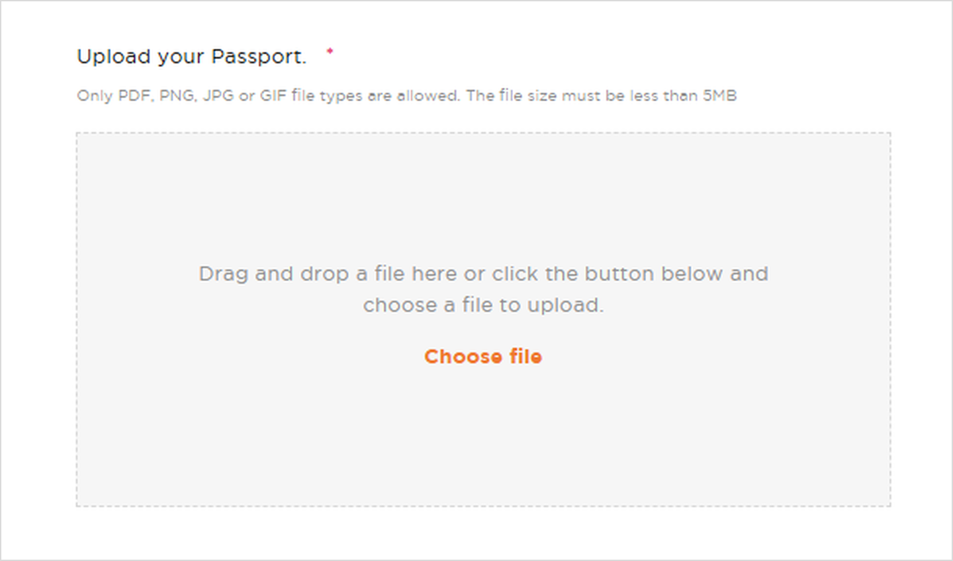
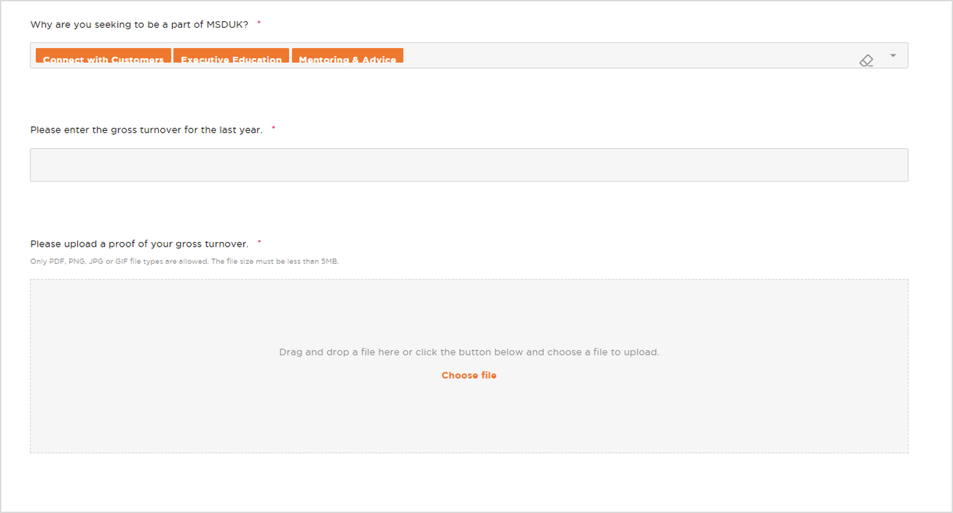
Step 6: Upload the required documents
Upload the documents requested in the renewal application.
The portal may ask for documents such as proof of turnover, the owner’s passport, ownership evidence, company documents, or other supporting information.
Make sure the files are clear, readable, and uploaded in the correct section.
If a document is missing or unclear, MSDUK may contact you for more information before your renewal can be approved.
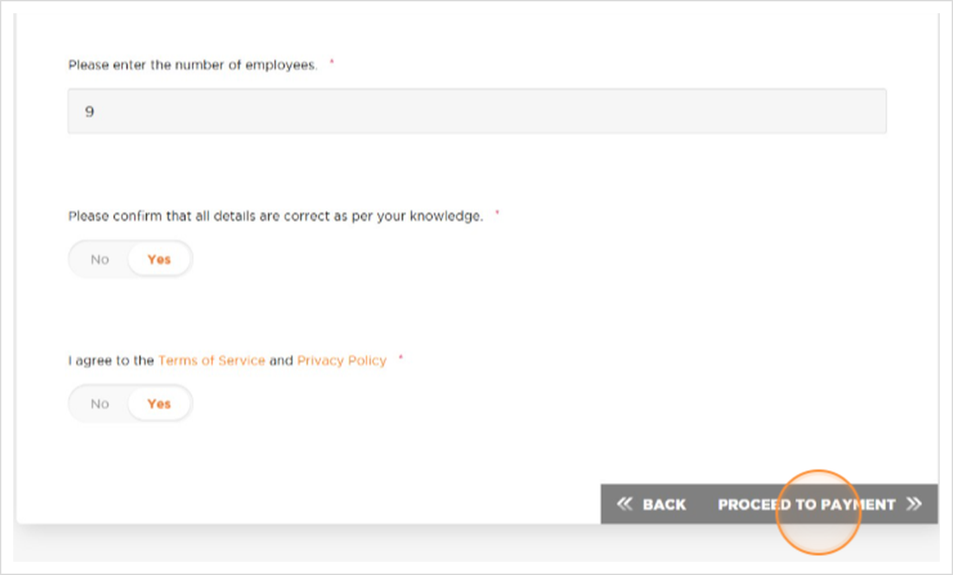
Step 7: Proceed to payment
Once your information has been reviewed and completed, continue to the payment section.
Follow the payment steps shown in the portal.
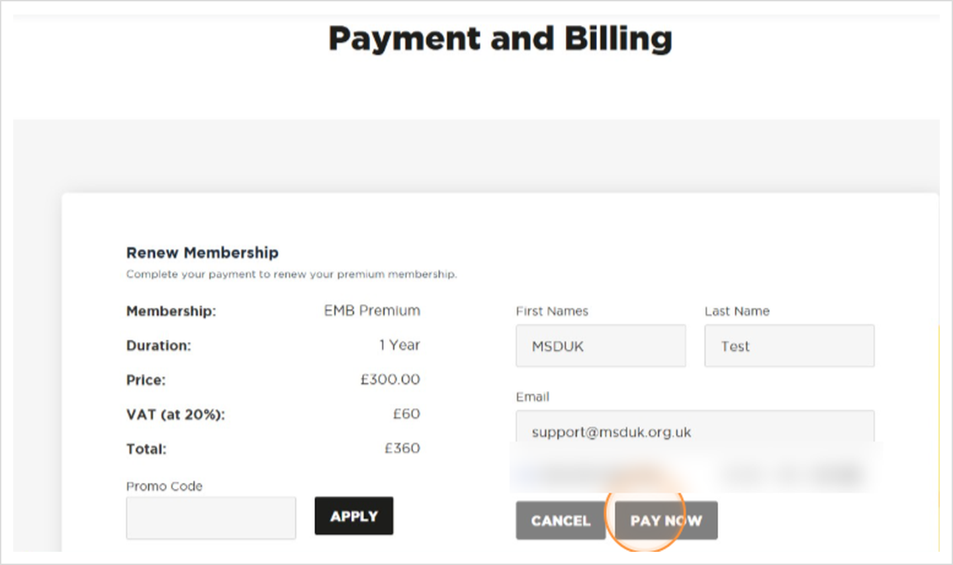
Step 8: Complete payment
Enter your payment details and complete the transaction.
Once payment has been completed, you should receive confirmation through the portal or by email.
Keep a copy of the payment confirmation for your records.
Step 9: Submit your renewal application
After reviewing your details, uploading the required documents, and completing payment, submit your renewal application.
Before submitting, check that all sections are complete and accurate.
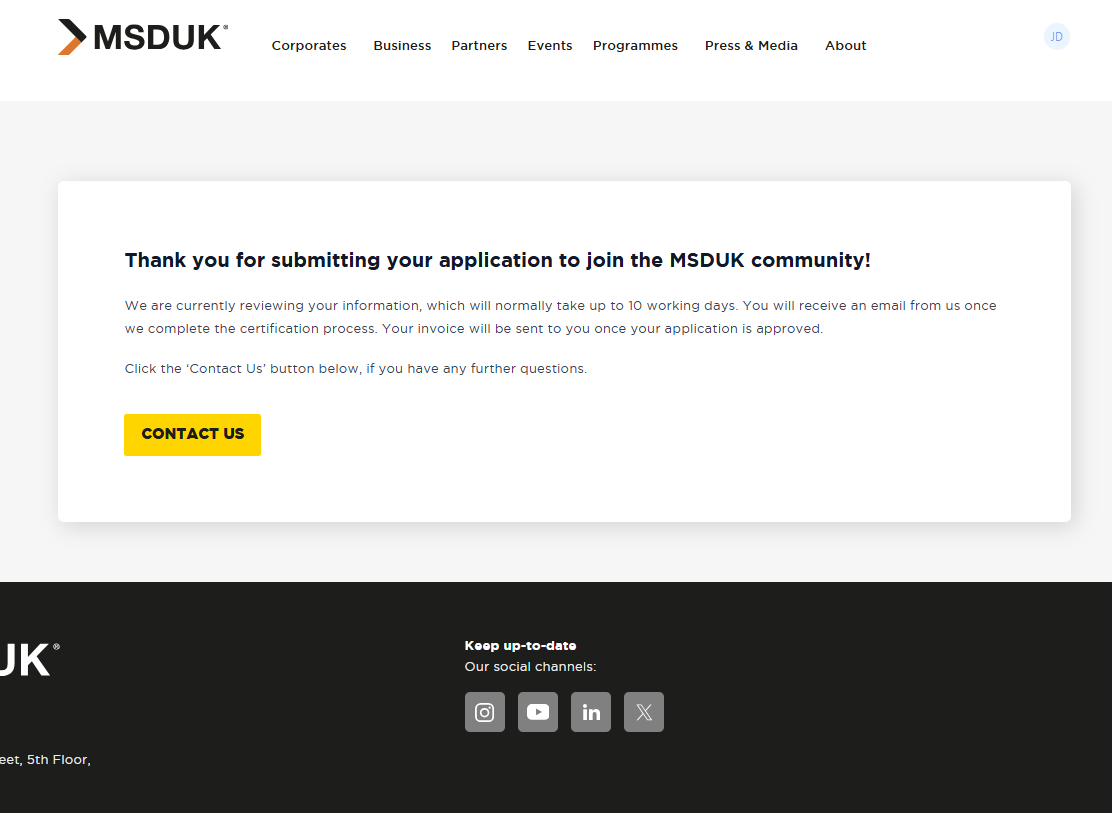
Once submitted, the application will be reviewed by the MSDUK team.
What happens after submission?
- After you submit your renewal application, MSDUK will review the information and documents provided.
- If everything is complete and meets the certification criteria, your renewal will be approved.
- If further information is needed, a member of the MSDUK team will contact you.
- Please respond as soon as possible to avoid delays.
Common issues that may delay your renewal
Your renewal may be delayed if:
- Required documents are missing
- Uploaded documents are unclear or unreadable
- Ownership information is incomplete
- Company or owner details are outdated
- Payment has not been completed
- The application has been submitted with incorrect information
To avoid delays, review everything carefully before submitting.
Need help?
- If you have any issues with your renewal application, contact the MSDUK team at support@msduk.org.uk.
- Include your company name and a short explanation of the issue so we can help you quickly.
- You can also contact us if you are unsure which document to upload or if your company information has changed since your last certification.
Summary
To renew your MSDUK certification:
- Log in to the MSDUK Portal.
- Find the renewal option in the MSDUK Connect section.
- Review your company profile.
- Select the renewal certification option.
- Complete the renewal application.
- Confirm ownership and management information.
- Upload the required documents.
- Proceed to payment.
- Submit your renewal application.
- Wait for MSDUK review and confirmation.
Was this helpful?
Related Articles
You might also find these helpful
Certified SME member dashboard guide
This guide explains how certified SME members can use the MSDUK member dashboard. The dashboard allows you to view your membership status, access MSDUK Connect, update your company profile, manage team members, contact MSDUK, and access Help Centre articles.
Read articleFor corporate members - Corporate Dashboard
Welcome to the guide on how to navigate through the Corporate dashboard. This section aims to provide you with clear, step-by-step instructions to ensure a smooth and hassle-free experience using the…
Read articleCan I access information about other members of MSDUK community?
Certified members can connect with our large network of businesses from all over the UK for your own supply chain fulfilment. To access the SME Supplier Database, please login to your Dashboard on the MSDUK portal and search for businesses that match your needs.
Read article