Password reset
Last updated 18 June 2026
Welcome to our password reset guide. Follow the step-by-step instructions to reset your password if you’ve forgotten it or want to change it.
Password reset
1. Forgot Password
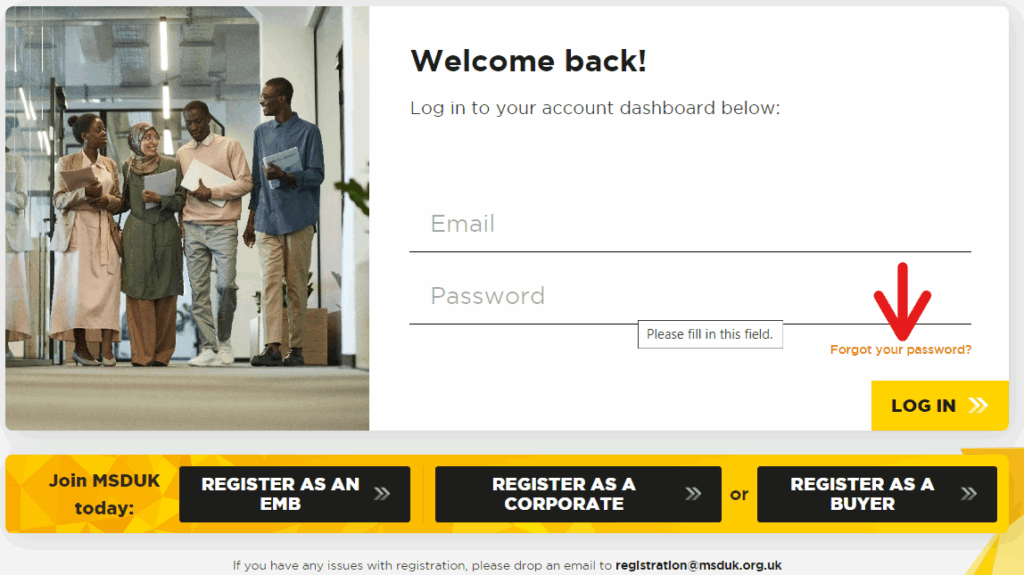
- On the login page, click on and it will take you to password reset page.

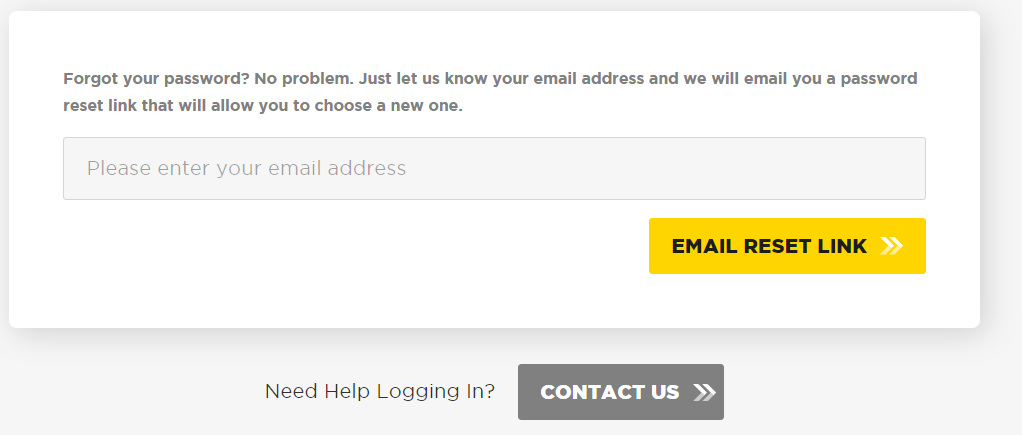
- Provide your email address that was used during the registration and click on

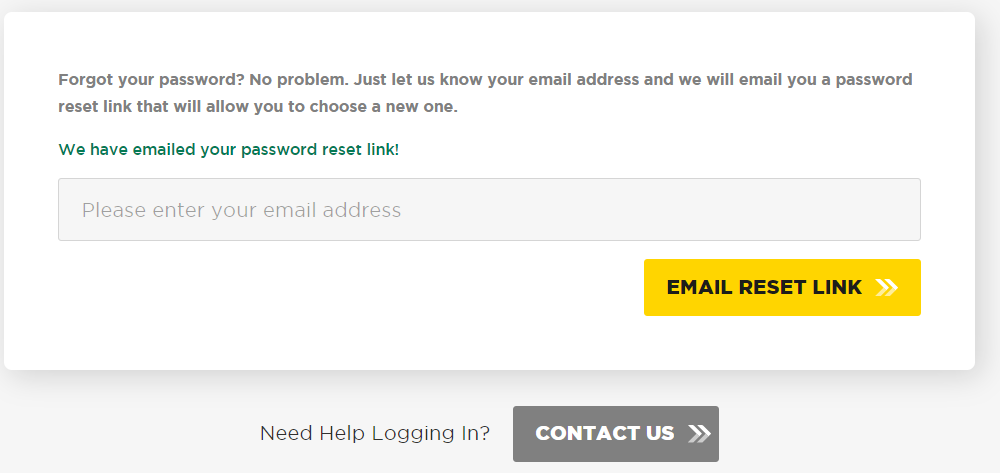
- An email will be sent to your registered mail address with the reset link.
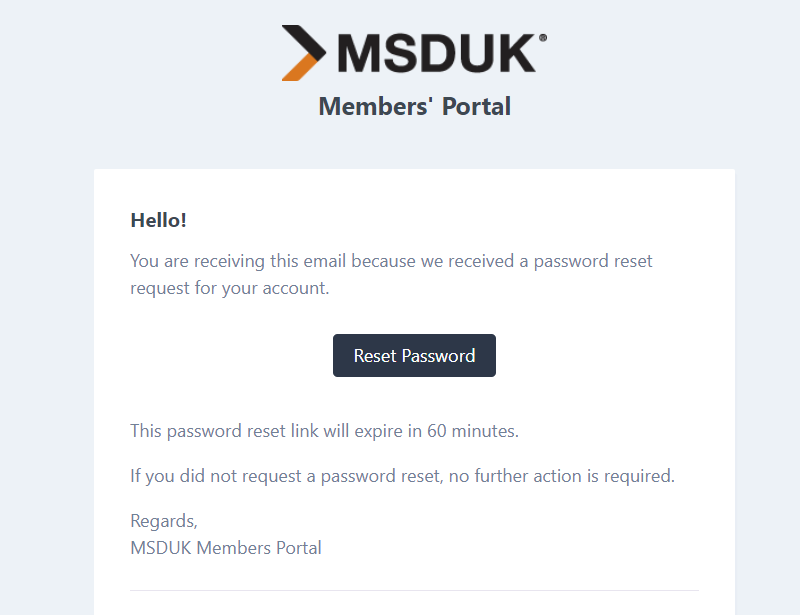
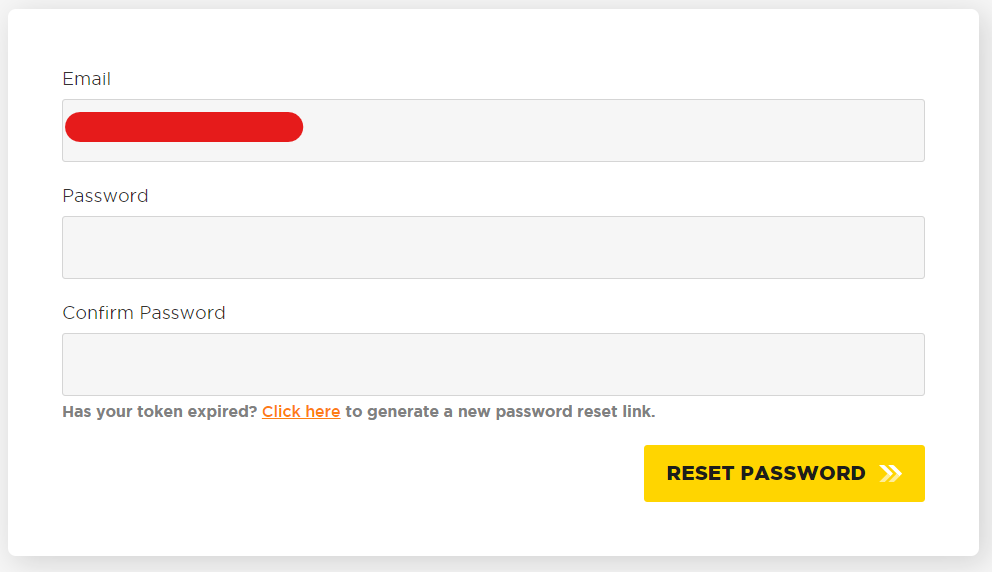
- Click on and it will take you to reset password page where you can enter your new password.

- As your password reset link is expired (as it is valid for only 1 hour) you can request another by clicking on the button () and it will generate new email for you.

2. Change Password
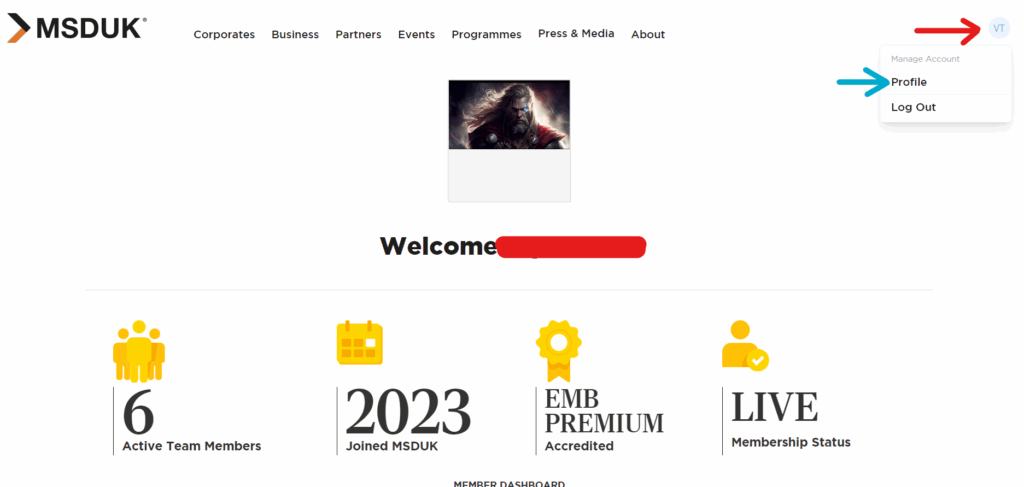
- Access your MSDUK portal by logging in with your current password to view your personalized dashboard..
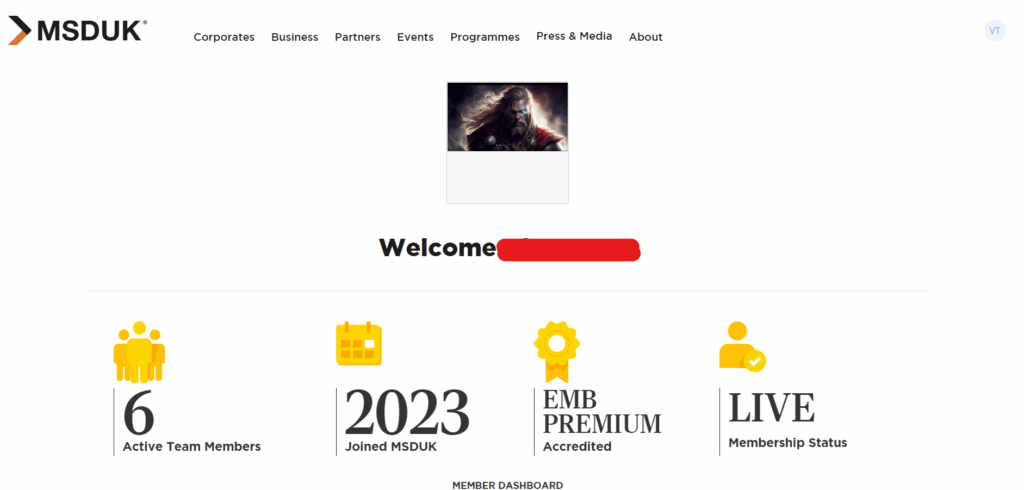
- Click on your username dropdown menu as marked by Red Arrow and then click on ‘Profile’ as marked by Blue Arrow.
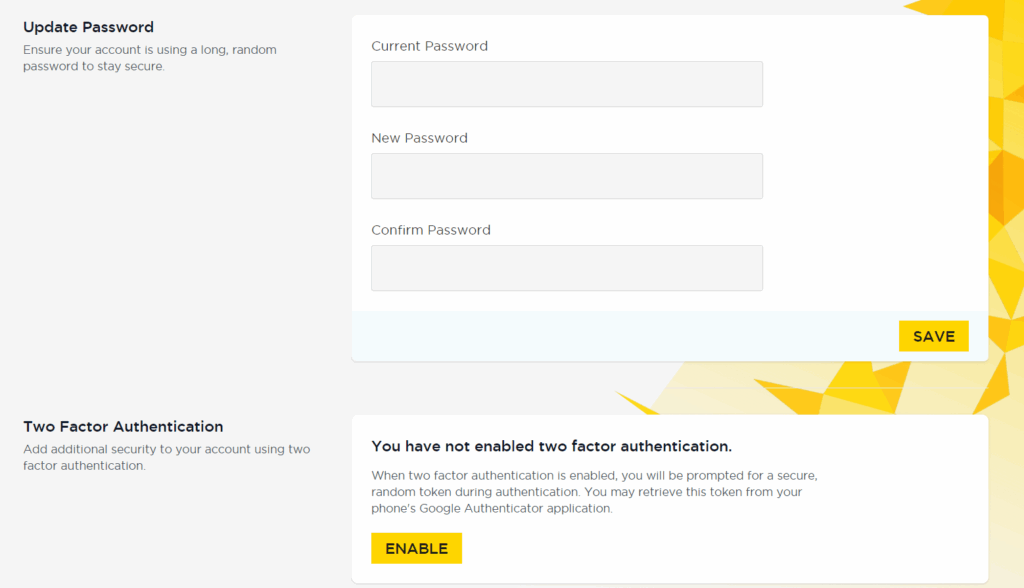
- In the “Update Password” section, kindly input your current password, followed by your new password, and confirm the new password. Please ensure that your current password matches the one you used to log in, and that the new password and confirm password fields are identical.
- In case you face any issues with registration, feel free to reach out to support@msduk.org.uk and MSDUK team will look into it.
Was this helpful?
Related Articles
You might also find these helpful
Certified SME Member Registration
Welcome to the registration guide for joining MSDUK as a certified member through the MSDUK portal. This section provides clear, step-by-step instructions to help you complete the process smoothly and efficiently.
Read articleCorporate Buyer Registration
Welcome to the guide for registering as a Buyer through the MSDUK portal. This section provides clear, step-by-step instructions to help you complete the process smoothly.
Read articleCorporate Member Registration
Welcome to the registration guide for becoming a Corporate member through the MSDUK portal. This section provides clear, step-by-step instructions to help you complete the process smoothly and efficiently.
Read article