For corporates members – How do I add a buyer?
Last updated 23 May 2026
For corporate members – How do I add a buyer?
Note: This feature is only available for the Key Contact / Administrator of your corporate account. Please raise a support ticket or email support@msduk.org.uk in case you need further support.
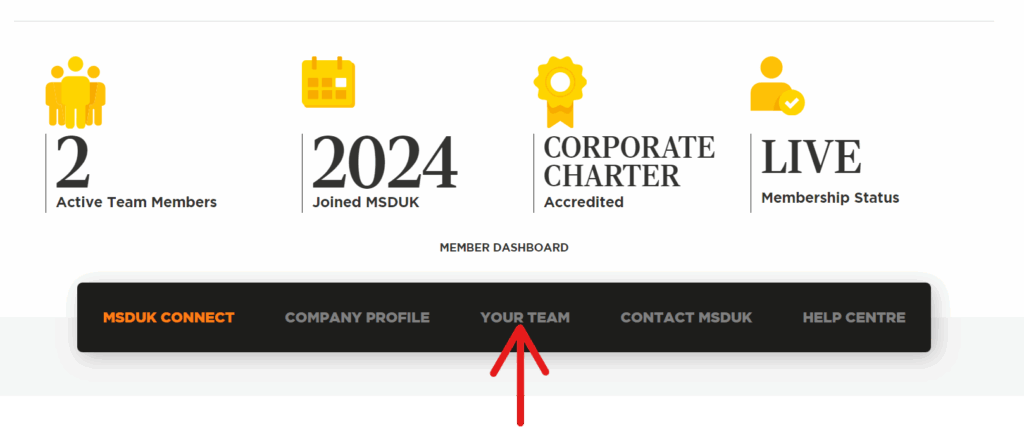
- Buyers can be invited or added from ‘Your Team‘ page.
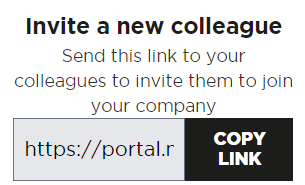
- You can copy the registration link and send it across to the buyers and ask them to register. The buyer registration link can been seen in the ‘Your Team’ section.
- You can also invite a buyer by sending them an email invitation.
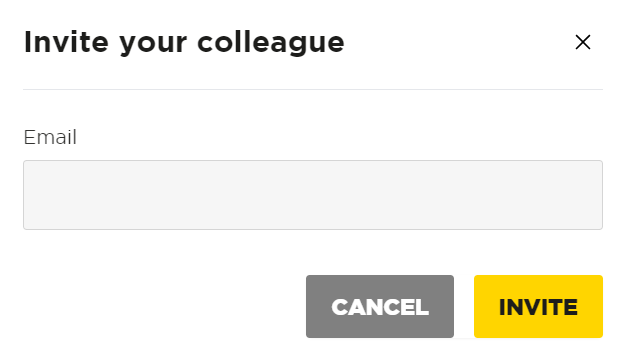
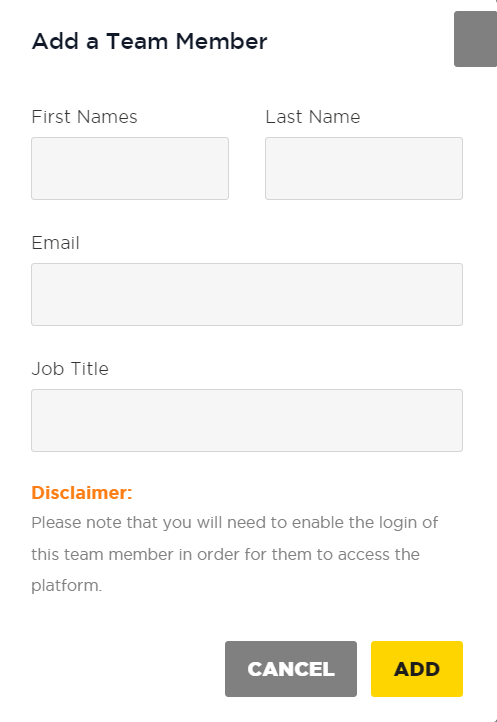
- Third option is to click on “ADD A TEAM MEMBER >>” to add your team mates so that they can access the dashboard and see the database of certified and Identified EMBs. Enter their First Name, Last Name, Email and Job Title and click on “ADD”. Please note: Adding a Team Member will not give dashboard access to them, you have the option to Enable login whenever you want to give access to them. Please follow next steps to give access.
- Click on the gear(*) icon against the profile you just added and you will see an option to enable their login as shown in the screenshot below. Enable login will trigger an email to the user and they will be able to setup their account and subsequently will also get access to the dashboard.
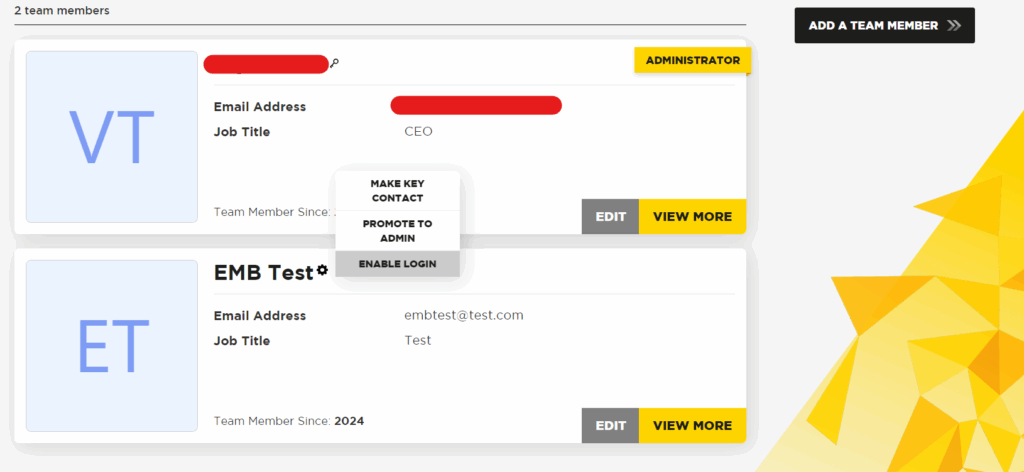
- You can also see options to Make Key Contact and Promote to Admin. You can change Key Contact at any time and also if you want you can promote any user to Admin or demote any user to normal user. It depends on your use case.
Was this helpful?
Related Articles
You might also find these helpful
For corporate members - How do I register as a corporate member?
On the home page of the MSDUK website (https://www.msduk.org.uk/), click on “JOIN TODAY” and you will be redirected to MSDUK portal where you can join as a corporate member.
Read articleFor corporate members - I cannot see Buyer Invitation feature
Only Key contacts / Administrators can view and use the Buyer invitation feature. If you’re looking to invite your team member, please get in touch with your key contact within MSDUK.
Read articleCan I access information about other members of MSDUK community?
Certified members can connect with our large network of businesses from all over the UK for your own supply chain fulfilment. To access the SME Supplier Database, please login to your Dashboard on the MSDUK portal and search for businesses that match your needs.
Read article